Imagine this scenario: Your local service ad campaigns are running beautifully. Your custom higher-intent lead forms are filtering out spam, your automated SMS engine is hitting prospects instantly, and your client’s internal sales spreadsheet is filling up with fresh names every single week.
At the end of the month, you pull up the Meta Ads Manager dashboard to prepare your monthly growth report. You see 45 high-quality leads generated at a steady $22 Cost Per Lead. You schedule a video call with the client, present your numbers with pride, and say, “Look at this incredible data!”
Instead of celebrating, the business owner shakes their head and says, “Yeah, we got some leads, but my cash register didn’t move much from Facebook. This month, we only closed two deals from our entire marketing mix. I don’t think your ads are profitable, so we need to pause our retainer next week.”
Naturally, your stomach drops. Panic sets in. You start wondering, “Did those 45 leads really ghost the client? Or did the client’s internal sales team actually close those high-ticket deals over the phone but completely forget to track where they came from?”
First of all, take a deep breath. At Anus Khan Insights, we want to reassure you that this “attribution blindspot” is the single biggest reason why digital marketing agencies lose great clients. It does not mean your ads are failing, and it certainly does not mean the traffic is low-value. It simply means you are letting your value be judged by raw lead volume rather than closed-won revenue numbers. Because phone calls, in-person consultations, and final contract signatures happen in the physical world—completely offline—Meta’s pixel has absolutely no idea a sale occurred unless you push that data back into the dashboard.
In this comprehensive, step-by-step masterclass, we will pull back the curtain on advanced algorithmic attribution data syncing. We will analyze why standard conversion tracking leaves money on the table and show you the exact free technical methods to track offline conversions to prove your absolute, unignorable marketing ROI.
Let’s protect your agency retainers together!
The Golden Rule: Upstream Intent vs. Downstream Closed Revenue
Before you look at the technical setup integrations, you must understand the deep psychological divide between standard digital actions and physical business operations. Most freelance marketers optimize purely for “Upstream Actions” (clicks, form completions, and downloads) and leave the “Downstream Outcomes” (swiping a credit card, signing a contract, or cashing a check) entirely to chance.
To understand this effortlessly, let’s bring back our favorite Fishing Analogy.
Think of a basic digital marketer as a fisherman who counts success solely by the number of times a fish bites their bait hook. They run back to the camp screaming, “I had 50 bites today, I’m an elite fisherman!” But when they open their bucket, it is empty because every single fish shook loose before reaching the boat. The camp goes hungry.
Conversely, think of an enterprise attribution strategist as a commercial tracking boat that utilizes deep-water sonar. They don’t count a victory until the fish is securely stored in the cold hold, weighed at the commercial dock, and traded for cold, hard cash at the market.
If you show a business owner a chart showing 50 lead form clicks, you are just talking about “bites.” Your primary goal as a professional digital strategist is to build a secure data bridge that tracks the exact path from the initial ad click straight to the final bank deposit.
4 Steps to Build a Flawless Offline Conversion Tracking Engine
If you want to stop clients from questioning your monthly value, you must sync your digital advertising dashboards directly with their offline physical data points. Here is the exact architectural setup blueprint:
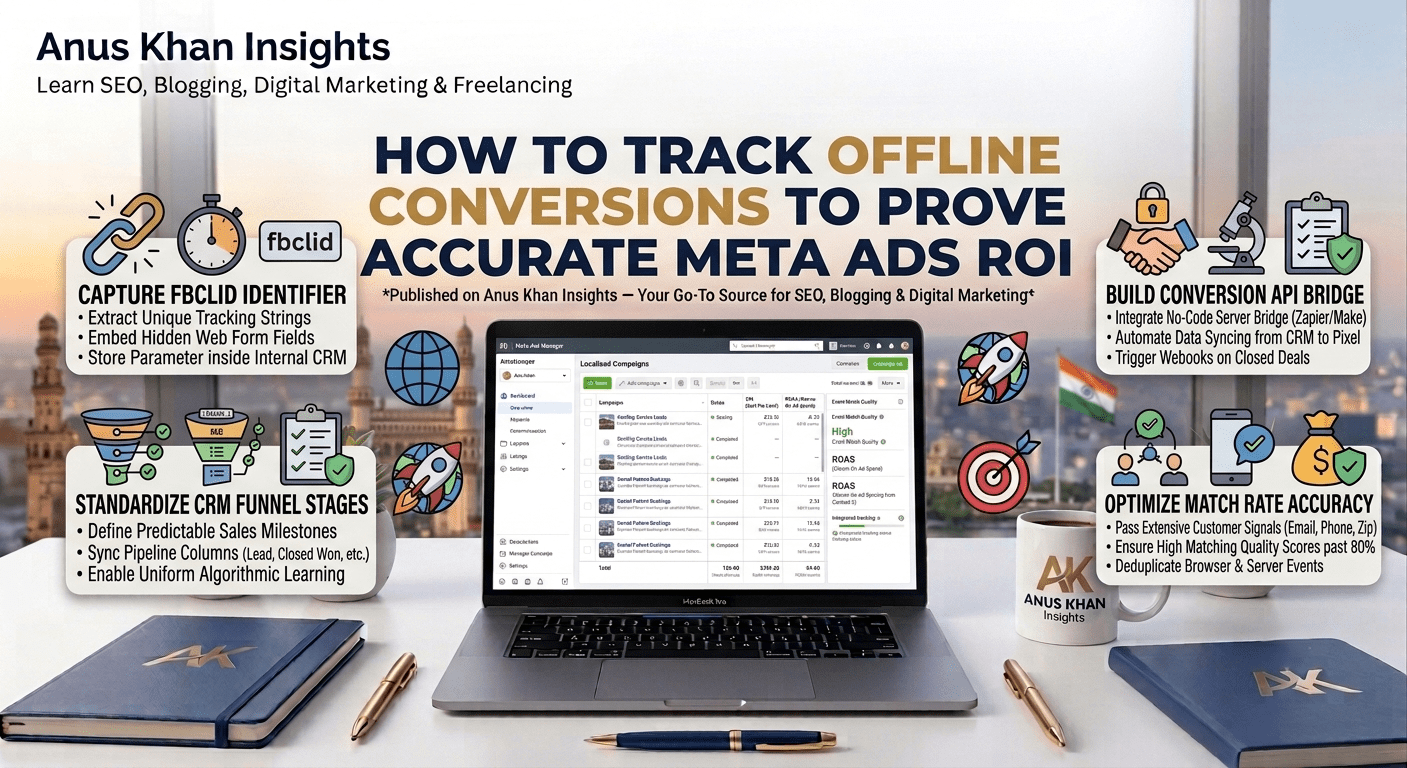
1. Capture the Meta Unique Identifier (fbclid)
Whenever a user clicks an ad on Facebook or Instagram, Meta appends a highly specific string of text tracking data to your website landing page URL. This parameter is called the FBCLID (Facebook Click Identifier).
The Guardrail: If you are using native lead forms, Meta automatically attaches this profiling data internally. However, if you are driving traffic to an external landing page, you must configure your web contact forms with a “Hidden Field” that automatically extracts this text string from the browser URL bar and stores it right next to the user’s name and email inside your data dashboard.
2. Standardize Your Offline CRM Sales Statuses
You cannot pass chaotic data back to an ad algorithm. Your client’s sales pipeline layout must utilize strict, predictable tracking milestones. Work with your client to ensure their customer relationship management software (like HubSpot, Zoho, or a clean Google Sheet) updates their sales funnel pipeline uniformly.
The Blueprint: Standardize four universal milestone columns:
Lead CapturedMeeting ScheduledProposal DeliveredClosed Won / Paid
3. Establish the Data Bridge (The Conversion API Bridge)
To push physical offline purchase data back into the Meta ecosystem, you don’t need a custom software developer. You can utilize no-code integration automation dashboards like Zapier or Make.
The Automation Trigger: Set your automation software to trigger a webhook the absolute millisecond your client changes a prospect’s pipeline stage to
Closed Won / Paidinside their internal tracking sheet.The Action Event: Instruct the automated tool to catch that specific client data row, package the user’s encrypted contact signals (hashed email, phone number, and name), attach the specific deal value (e.g., $3,500), and send it straight back to your Meta Pixel dashboard as an Offline Purchase Event.
4. Optimize the Match Rate Score For Higher Accuracy
Meta matches your offline customer rows back to active social media accounts based on the identifiers you pass through the server bridge. If you only send a first name, your match rate score will be lower than 10%, meaning your ads won’t receive the optimization credit.
The Pro Tactic: Ensure your offline sales system captures at least four high-match data fields during checkout: Full Email, Complete Mobile Phone Number (with country code), Zip Code, and the original IP address or FBCLID parameter string. Pushing these extensive parameters elevates your Match Rate quality score past 80%, forcing the ad manager dashboard to display your true, exact ROI figures.
Data Attribution & Tracking Audit Quick-Reference Table
| Tracking Anomaly | What It Truly Means | How to Fix It Fast |
| Low Event Match Rate Status | The data rows being sent from your offline CRM lack sufficient customer matching fields. | Update your client’s CRM fields to make phone numbers and zip codes mandatory before a deal can be marked as closed. |
| Deduplication Errors in Ads Manager | Meta is receiving the same lead event from both the browser pixel and the server pipeline simultaneously without a shared ID. | Assign a matching unique event_id string to both data streams so Meta’s algorithm can deduplicate them instantly. |
| “Offline Conversions Active” but Zero Value | Your data bridge is successfully sending customer rows but failing to pass the specific currency and numeric value. | Edit your integration settings map; link the exact revenue cell column from your spreadsheet straight to Meta’s value parameter. |
| Client disputes the source on major deals. | Multiple marketing channels interacted with the customer, and the client is attributing the sale solely to the last touch. | Change your dashboard attribution view window to compare first-click and last-click values, showing your ad’s true role. |
Final Thoughts
At the end of the day, protecting your premium agency retainers isn’t just about managing creative ad campaigns—it’s about mastering technical data loops. When you can explicitly open an advertising panel and show a business owner that a specific $500 ad set directly drove three offline contracts worth $10,000 in physical revenue, you eliminate budget debates forever.
Let’s do a quick recap of our diagnostic action plan:
Do not let your marketing value be judged by vanity metrics; bridge the gap to downstream sales revenue.
Capture the Meta Unique Identifier string across all inbound user submission avenues.
Organize your client’s operational sales CRM stages with completely predictable milestone labels.
Build a steady automated server bridge to feed closed-won contract data back to your pixel dashboard.
Maximize match rate accuracy by collecting multi-layered customer data signals during checkout.
At Anus Khan Insights, we are dedicated to simplifying the technical side of web growth. Connect your tracking pipelines accurately, deploy your data parameters systematically, and watch your business authority and retainers scale!
Written by Muhammad Anus Khan — Digital Strategist, SEO Expert & Founder of Anus Khan Insights
Category: Advanced Tracking & Data Analytics | Reading Time: 8 Minutes | Level: Advanced
Next Read: How to Build High-Converting Landing Pages for Maximum Lead Volume — Coming Tomorrow on Anus Khan Insights!
Leave a Reply