Imagine this scenario: Your organic search impressions have started slipping over the past few weeks. You aren’t sure if your pages are losing their link power, if a recent technical glitch is blocking search engine spiders, or if your content is slowly falling out of alignment with user intent.
You open an industry-standard SEO auditing tool to see if it can scan your domain and tell you exactly what’s broken, only to find out that a basic subscription will cost you $100 to $200 a month. As an independent blogger, freelancer, or bootstrapped content creator, that recurring fee is money that could be spent elsewhere. You close the tab and think, “Am I locked out of professional technical management just because I can’t afford expensive automated scanners?”
Naturally, frustration sets in. You feel like you’re flying completely blind, guessing which headings to rewrite or which pages to tweak, hoping something sticks.
First of all, take a deep breath. At Anus Khan Insights, we want to reassure you that you do not need expensive software suites to run a professional, high-grade technical and structural audit. In fact, third-party crawlers are simply trying to guess how search engines view your website. Why pay a middleman for a diagnostic report when you can get the exact data directly from the source itself? Google provides an array of powerful, completely free tools—like Search Console, PageSpeed Insights, and Chrome DevTools—that give you an unfiltered look at your site’s health.
In this comprehensive, step-by-step masterclass, we will pull back the curtain on zero-budget technical SEO. We will break down the exact diagnostic framework to review your site’s visibility footprint and give you a lean checklist to audit your entire domain in under 60 minutes!
Let’s look under the hood of your website together!
The Golden Rule: The Routine Car Inspection Analogy
Before you change a single line of code or rewrite a meta description, you must shift your mindset regarding what an SEO audit actually is. Many webmasters treat an audit like an emergency room visit—only doing it when their traffic drops to absolute zero.
To understand how to approach this systematically, let’s use our favorite Routine Car Inspection Analogy.
Think of your blog or digital platform as a high-performance Sports Car that you drive daily to win races.
If you ignore the dashboard warning lights, skip oil changes, and never check the tire pressure, the engine will eventually overheat and stall out right in the middle of a major highway (this is equivalent to Ignoring Indexation Errors Until Traffic Drops).
Conversely, if you pull into the garage for a quick, organized 60-Minute Inspection Checklist once a month—checking the fluids, inspecting the brakes, and cleaning the filters—the car runs smoothly, burns fuel efficiently, and easily pulls ahead of competitors on the track.
Your primary goal as an elite webmaster is to establish a routine checkup cadence. You don’t need a massive engineering team; you just need to know exactly which gauges to look at to keep your content engine running at maximum velocity.
The 60-Minute Free SEO Audit Blueprint
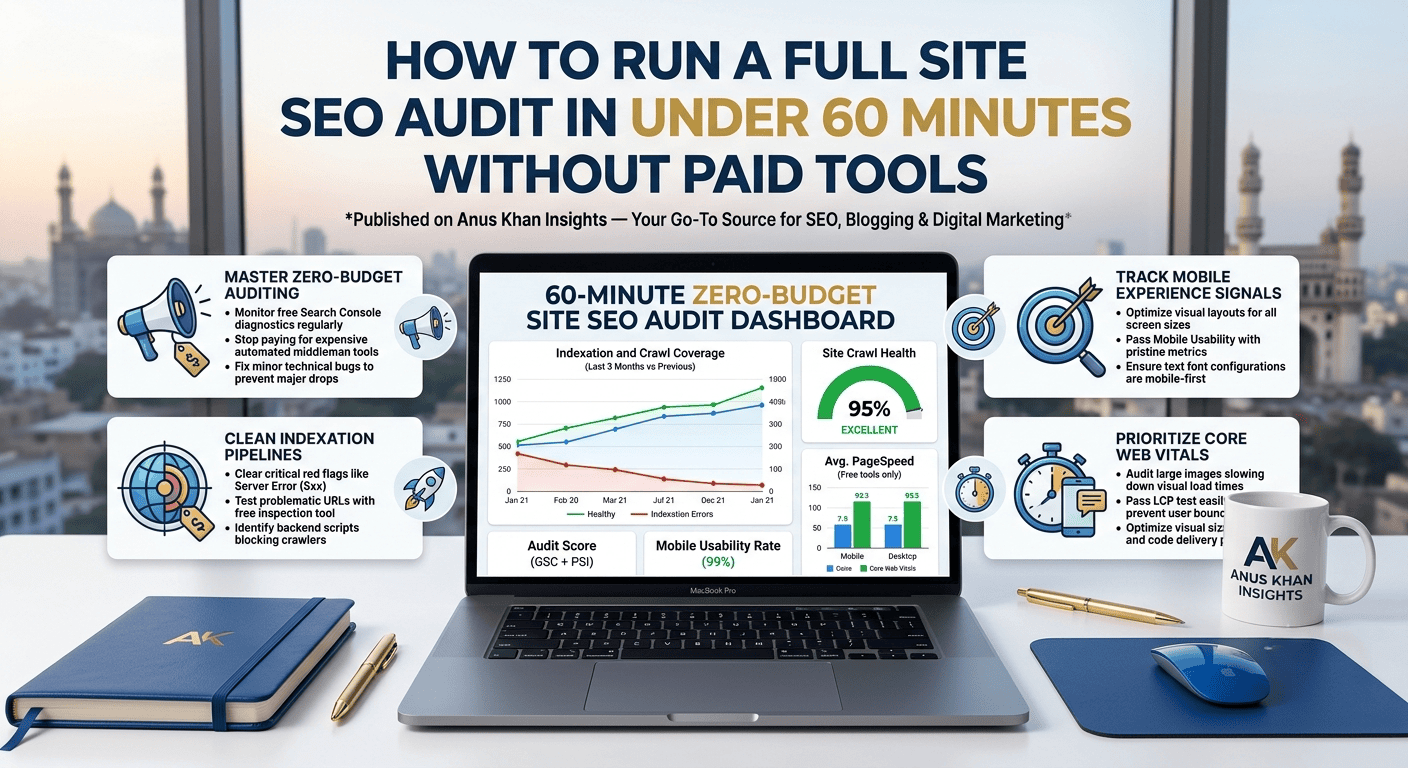
Set a timer for one hour and execute these four core diagnostic passes across your domain using completely free tools:
Minutes 0–15: The Indexation and Coverage Pass
If search engines cannot smoothly process your URLs, nothing else matters. Your first quarter-hour must be dedicated to checking for crawl blocks.
The Diagnostic: Open your free Google Search Console dashboard and click on the “Indexing” (Pages) report. Look directly at the red “Not Indexed” bucket. Look for critical red flags like “Server error (5xx),” “Redirect error,” or “Submitted URL marked ‘noindex’.” If you find important blog posts sitting in these sections, copy their URLs and use the top URL Inspection tool to request a live test and see exactly what backend script is blocking the crawl.
Minutes 15–30: The Mobile Experience and Usability Pass
Search engines prioritize mobile layouts over desktop variations when ranking content. A site that looks perfect on a computer screen but breaks on a mobile device will be suppressed in search results.
The Diagnostic: Look at the “Experience” section within Search Console, focusing on Mobile Usability and Page Experience signals. Check if any URLs show errors like “Text too small to read” or “Clickable elements too close together.” Open up problematic posts on your phone or use Chrome’s inspect element simulator to make sure your text padding, buttons, and pop-ups don’t overlap awkwardly.
Minutes 30–45: The Core Web Vitals Speed Analysis
Site speed directly impacts user engagement metrics and search rankings. Slow-loading pages cause users to click away, telling search algorithms your site provides a poor experience.
The Diagnostic: Head over to the free Google PageSpeed Insights tool. Drop in your home page URL along with your top three highest-traffic blog posts. Don’t worry about getting a perfect 100/100 score; look specifically at your Core Web Vitals assessment (LCP, INP, and CLS). If your page takes longer than 2.5 seconds to render its primary elements (LCP), use the tool’s suggestions to identify oversized article images that need compressing or heavy layout shifts that need fixing.
Minutes 45–60: The Organic Decay and Drop-Off Check
Your final fifteen minutes should be spent identifying old content assets that are losing their historical momentum and need a quick update.
The Diagnostic: Go back to your Search Console Performance tab. Set the date range to compare the last 3 months to the previous period. Sort the table by “Clicks Difference” in ascending order. This highlights the exact pages that have dropped the most traffic over the past 90 days. These are your high-priority content update targets for the upcoming week.
Zero-Budget SEO Audit Checklist Table
| Audit Phase | Time Frame | Core Free Tool | Primary Diagnostic Goal |
| Indexation Pass | 15 Minutes | Google Search Console | Eliminate crawl blocks, server 5xx errors, and accidental noindex tags. |
| Usability Pass | 15 Minutes | Search Console / Mobile View | Fix tiny font configurations and overlapping clickable buttons. |
| Performance Pass | 15 Minutes | PageSpeed Insights | Keep Largest Contentful Paint (LCP) load times securely below 2.5 seconds. |
| Content Decay Pass | 15 Minutes | GSC Performance Compare | Isolate declining articles that require fresh updates or intent adjustments. |
Final Thoughts
At the end of the day, running a healthy, top-ranking website isn’t a privilege reserved for those who can afford expensive automated software suites—it’s an open game won by creators who know how to read direct platform data. When you dedicate just one hour to checking your indexation statuses, auditing your mobile visibility layouts, optimizing your visual loading speeds, and tracking declining performance trends, you keep your site completely clear of technical problems.
Let’s do a quick recap of our 60-minute free SEO audit action plan:
Perform routine checks to stop minor bugs from turning into major traffic drops.
Monitor your Search Console Indexing report to clear crawl errors quickly.
Keep your mobile usability metrics pristine to satisfy mobile-first indexing systems.
Optimize visual sizes and code delivery to pass your Core Web Vitals test easily.
Compare historical search performance windows to spot and rescue declining articles early.
At Anus Khan Insights, we are dedicated to simplifying the operational realities of digital growth. Audit your technical footprints systematically, clean your indexation pipelines cleanly, and watch your site health, search visibility, and organic positions scale!
Written by Muhammad Anus Khan — Digital Strategist, SEO Expert & Founder of Anus Khan Insights
Category: Technical SEO & Free Site Auditing Frameworks | Reading Time: 8 Minutes | Level: Intermediate to Advanced
Next Read: Step-by-Step Guide to Compressing Large Blog Images Without Quality Loss — Coming Tomorrow on Anus Khan Insights!

Leave a Reply